Changes 5-4-2023 are listed below:
- Bug Fix - Inspected units were not showing unit type names on the inspected units grid even when they existed.
- This was caused by the attempted performance improvement on 5/2/2023, that change has been backed out.
- Bug Fix - Custom reports were showing on the default reports tab in the Versa Reports screen.
Changes 5-3-2023 are listed below:
- Bug Fix - Removed the "Are you sure you want to cancel" message when clicking any of the closing buttons on the interface add/edit panel.
- This message was causing problems in the previous release (2023.0502.1.0).
New Features
Prevalidation Flags
Added support for Flag DV-284 - Site Visit Date cannot be greater than the current calendar date for the following HUD program events:
- 223(a)(7) Limited Refi
- 223(f) Refi-Acq
- 223(f) Refi of 202
Added support for Flag DA-013 - If UFAS Compliance for an inspected unit is mobility or sensory and accessible path doesn't exist.
Added support for Flag OC-001 - Occupancy Permit date cannot be before the year built for a building
Added support for Flag OC-002 - Occupancy Permit date cannot be earlier than the Building Permit Date for a building
Added support for Flag OC-003 - The building permit date for a building cannot be later than the year built
Inspected Units
- The maximum floor for an inspected unit can now be rounded up to the next number when the stories on the building is fractional.
- For example, on a building with 1.5 stories, the maximum floor for its inspected units can be 2.
Energy Audit Data Screen
- You can now specify a custom EA template to use for exporting segment one instead of the default template.
- To select the custom template, have it available on your computer or a network accessible location.
- Please make sure the custom template is a valid Energy Audit template file. Using any other excel file will likely cause errors or unexpected results.
- Click the new button on the ribbon titled "Use Different EA Template"
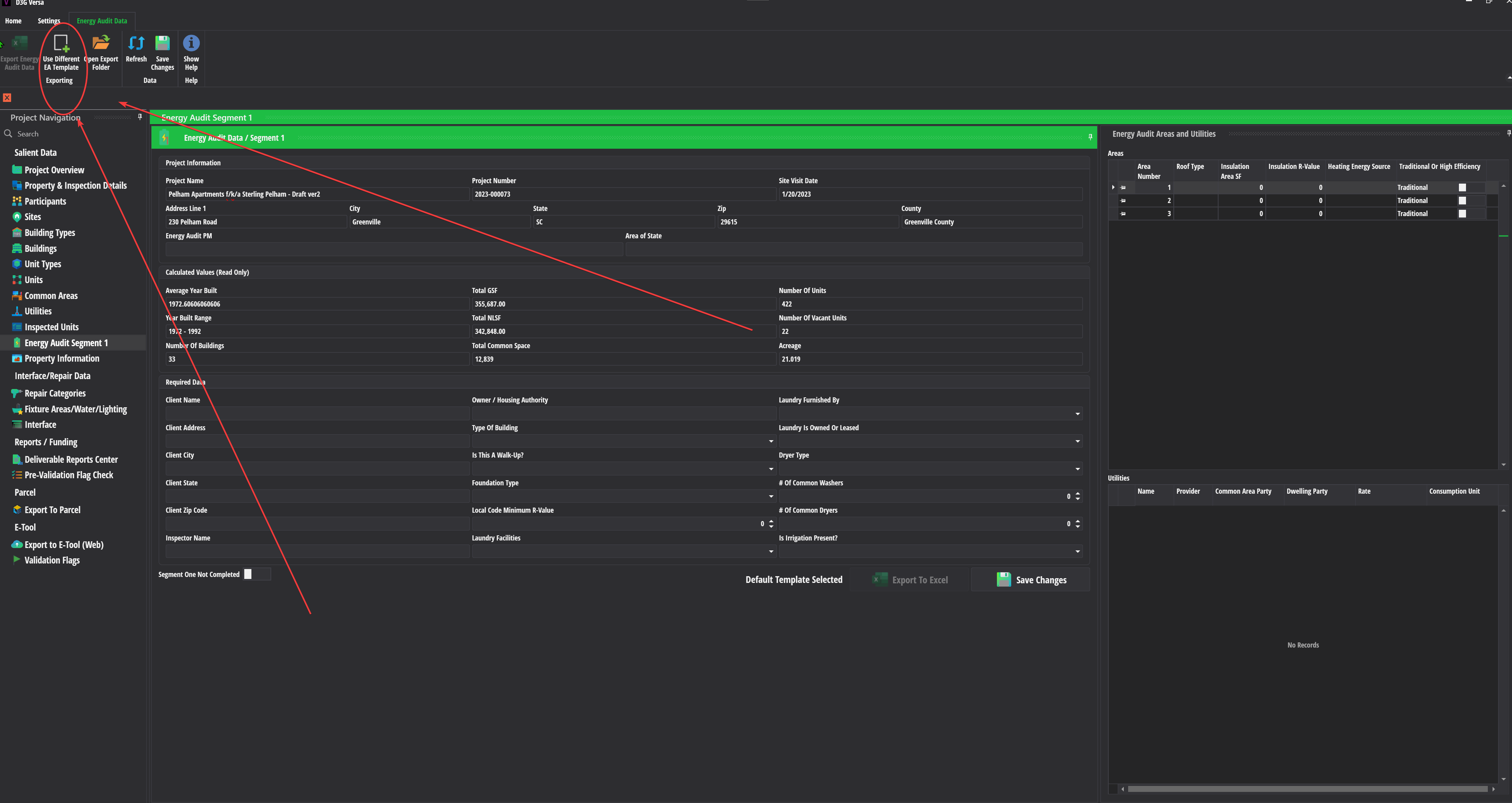
- Navigate to the custom template file using the file picker dialog that appears
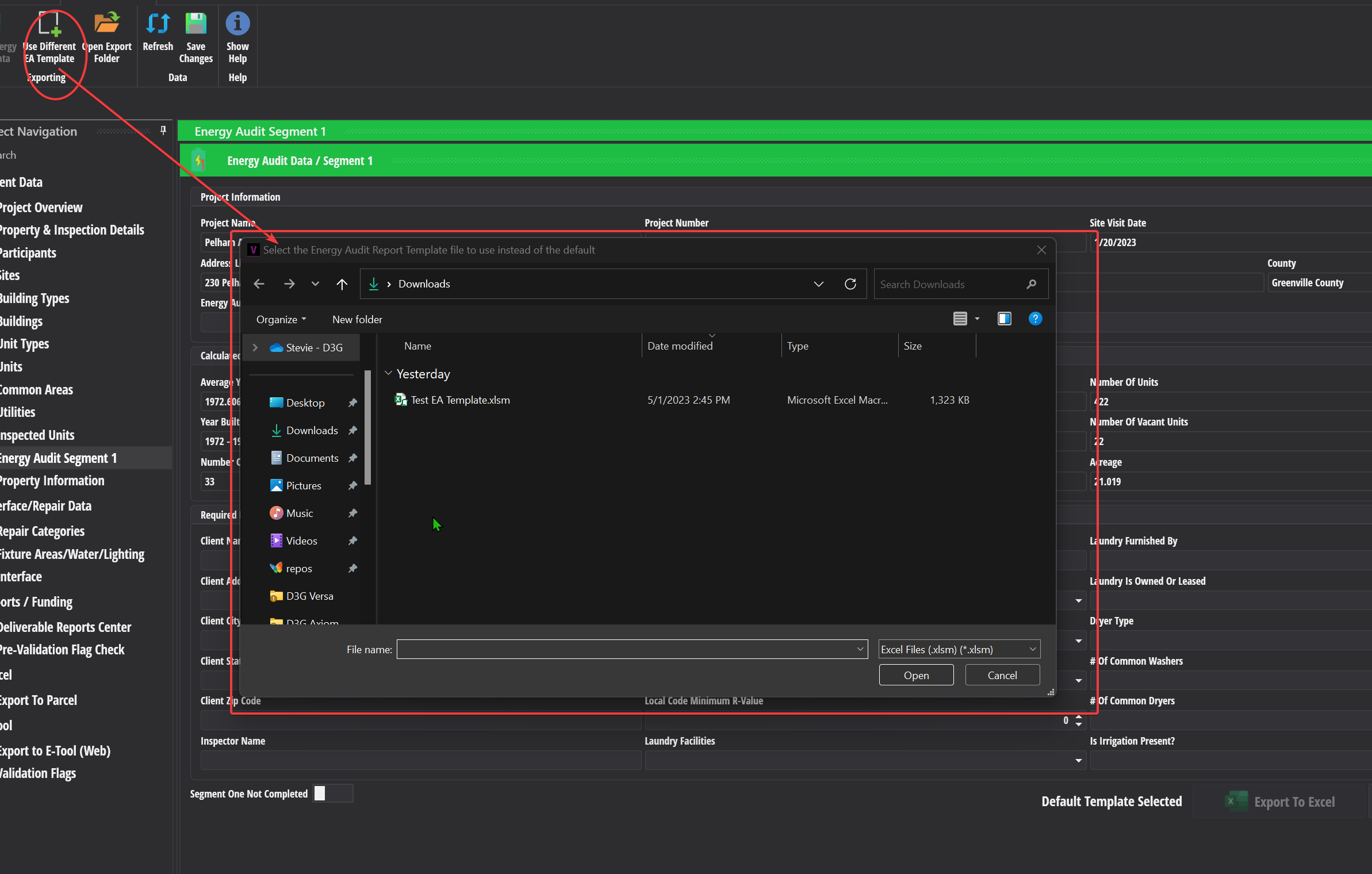
- After you have selected the custom template, Versa will let you know it was successfully picked and will note it next to the export button on the energy audit screen
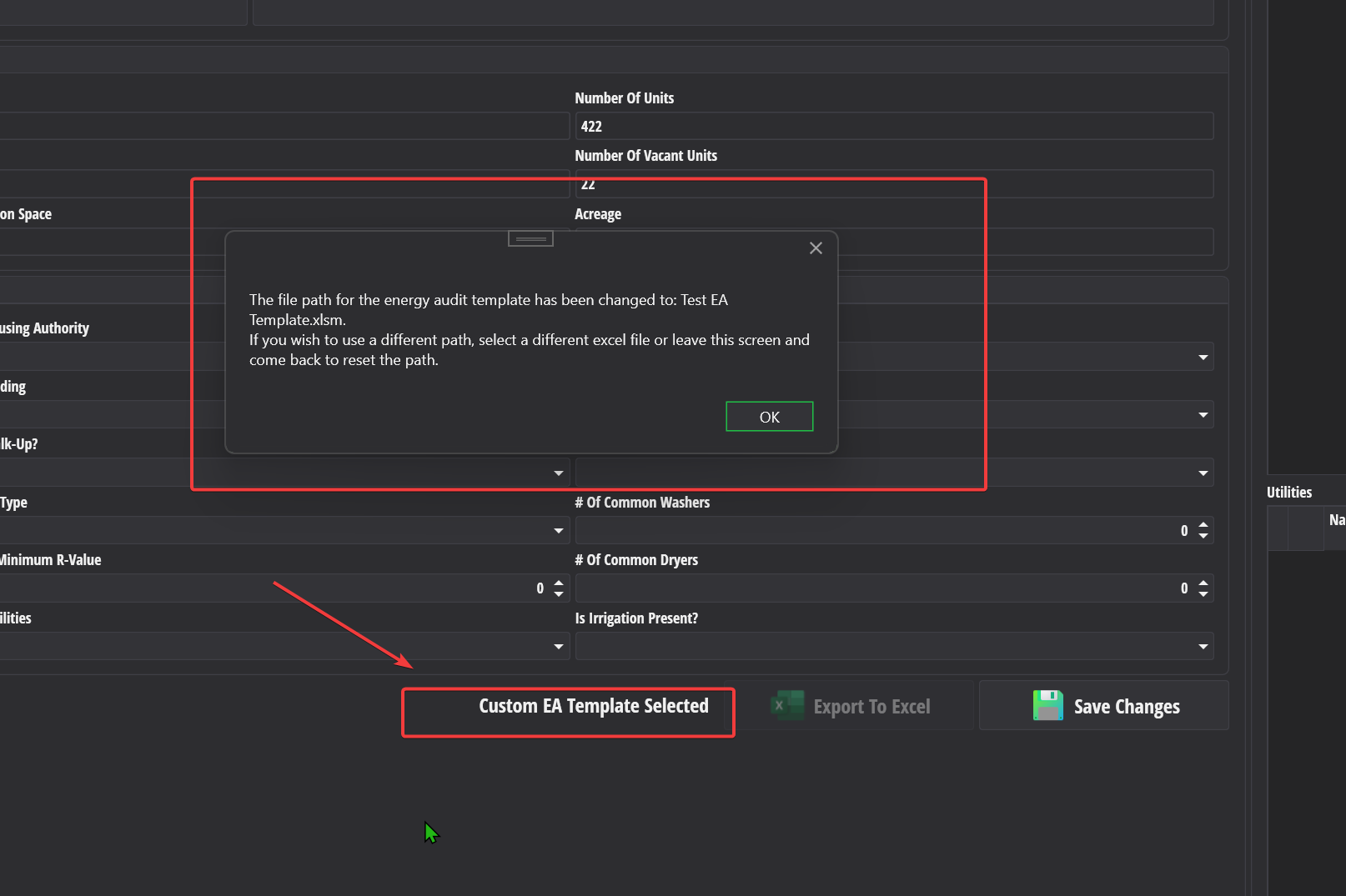
- To use the default template again, you need to leave the screen and come back to it.
- To select the custom template, have it available on your computer or a network accessible location.
Improvements
Prevalidation Flags
Removed the following flags:
- DA-003
- DA-001
- DV-273
- AA-002
Updated Flag DA-004 to apply when a building qualifies for FHA and it is a high rise without an accessible path.
Updated Flag DA-004 to apply when a building qualifies as FHA, it is not a high rise / 2-5 story building without an accessible path and the inspected unit is on the ground floor.
Updated Flag DU-006 so that it occurrs when a property is federally assisted and the total sensory impaired units are less than 2% of the total number of units on a property.
Updated flag DU-008 so that it occurs when a property is federally assisted and the total mobility impaired units are less than 5% of the total number of units on a property.
Flag DV-247 now occurrs whenever Flag DA-006 occurs until we can get better guidance from HUD on the difference between the two flags.
Interface Screen
- Removed the cancel button from the text edit windows that pop up when you edit notes fields on the interface screen via the add/edit panel.
- If you need to cancel changes to notes, use either the escape key on your keyboard or click the close button in the upper right hand corner of the window.

- If you need to cancel changes to notes, use either the escape key on your keyboard or click the close button in the upper right hand corner of the window.
Unit Types Screen
The pop up yes/no confirmation dialog no longer displays when you select a unit type template.
- Selecting a unit type template will now imeediately update the unit you are adding/editing to match the template.
The square feet field is now imeediately below the unit type name field on the add/edit panel.
Bug Fixes
Interface Screen
- Fixed a bug that was allowing the user to enter a year greater than 9999 for the install date year on a component.
- Adjusted the code for CalculatePercentStandardRulRemaining so that it cannot return a value higher than the maximum allowable for an integer.
Building Types Screen
- Number of elevators is now optional if you are selecting a high rise in an ASTM project.
Inspected Units Screen
Fixed a performance problem that was causing the inspected units panel to refilter the list of units/buildings for an inspected unit when clicking on a row in the grid and the add/edit panel was not visible.
Fixed a potential error where the wrong error message would display when the database was not reachable when loading the inspected units screen.
- You may still get a database / network error in this case, but you will also receive an error letting you know the project data did not load for the screen and you should check your network connection / vpn connection.
Unit Types Screen
- Fixed a bug that was causing delete / deactivate unit type to not work correctly when the unit being deleted had no units or inspected units assigned to it.
Other Changes
HUD ETool API Client
- Removed the "MarkEditsPresent" API command from the client due to the fact that HUD is no longer using it and Versa isn't using it anymore.