New Features
Open Project Screen
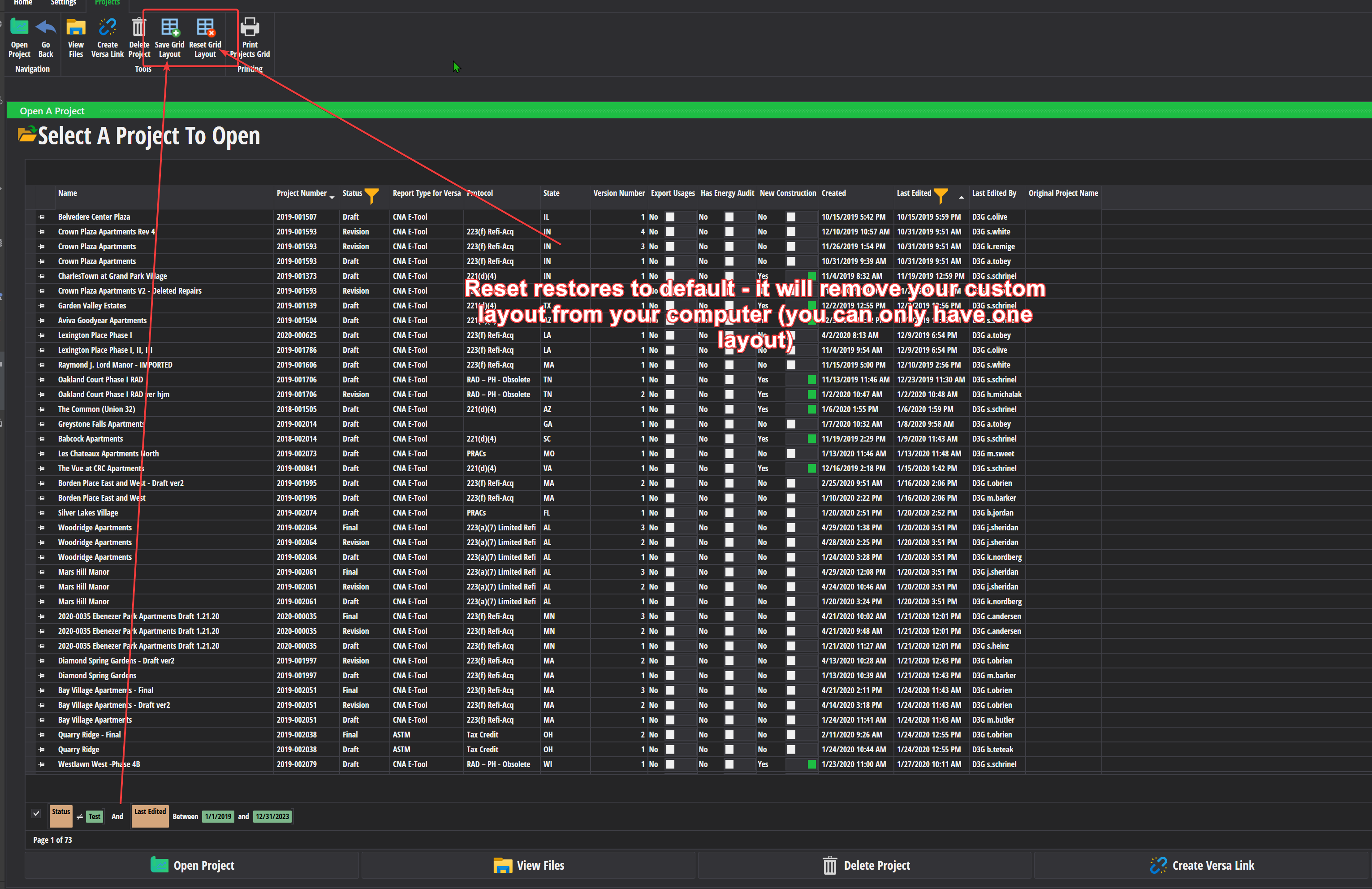
You can now memorize the layout of the grid on the open project screen (I.E. Filters, column order, etc) and save it for future use.
You can only have one memoried layout. To memorize the current layout, click the button on the ribbon (see screenshot)
If you want to reset your layout back to the default, click the delete layout button. Note that deleting your layout is permenant and you will have to re-create your own custom layout and save it again if you want to get it back.
Unit Types - Unit Type Templates
You can now add unit types using templates. You can select them from the drop down above the rest of the unit type fields on the add/edit panel on the unit type screen.
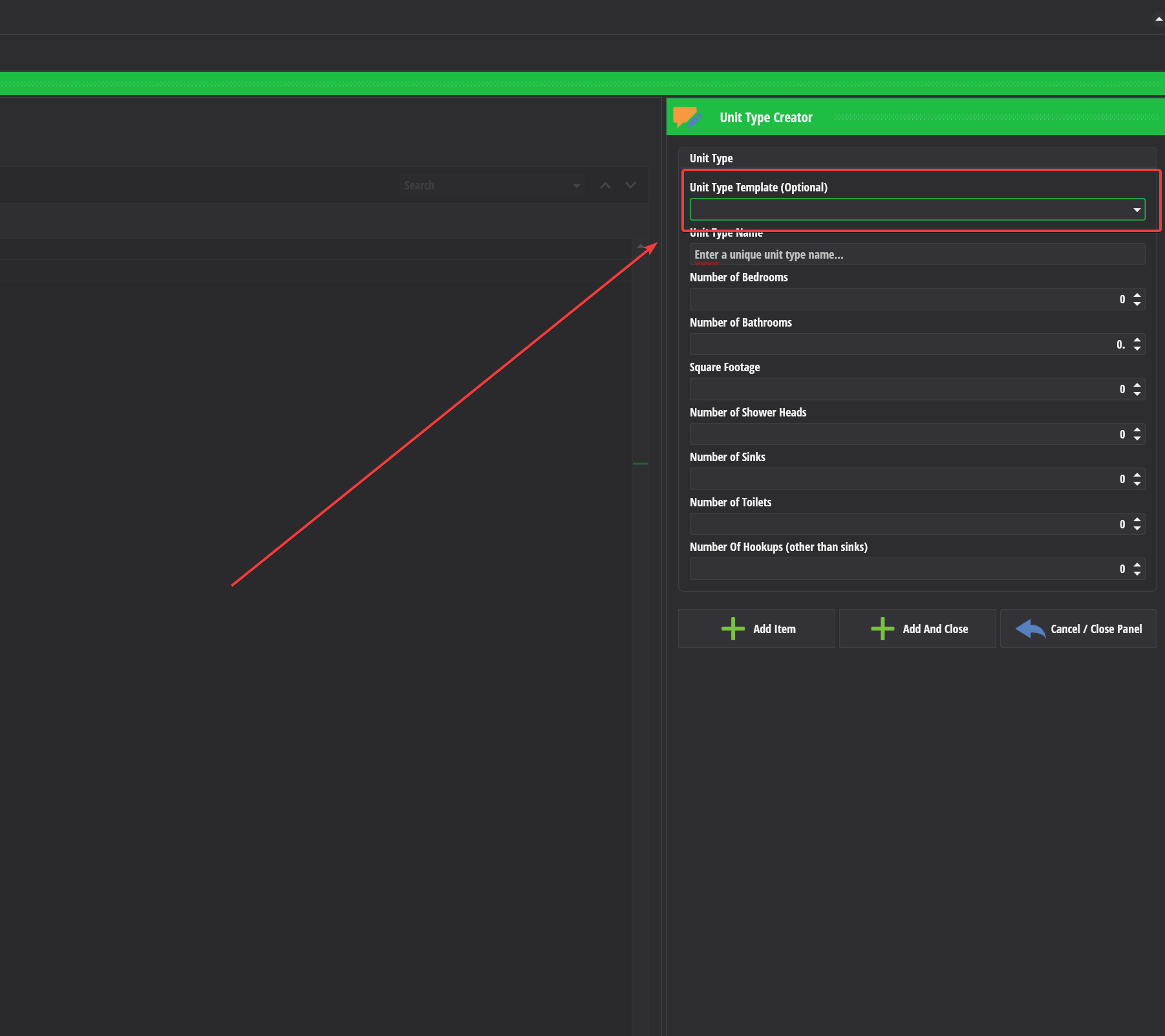
- When you select a unit type, you will be asked if you want to use it. If you say yes, all of the fields on the unit type will get filled out with pre-filled values.

You can change the name of the unit type after you select a template or any other field that which may be different from the template.
Additional unit type templates (not pictured) are included with the release:

Admin - Unit Type Templates
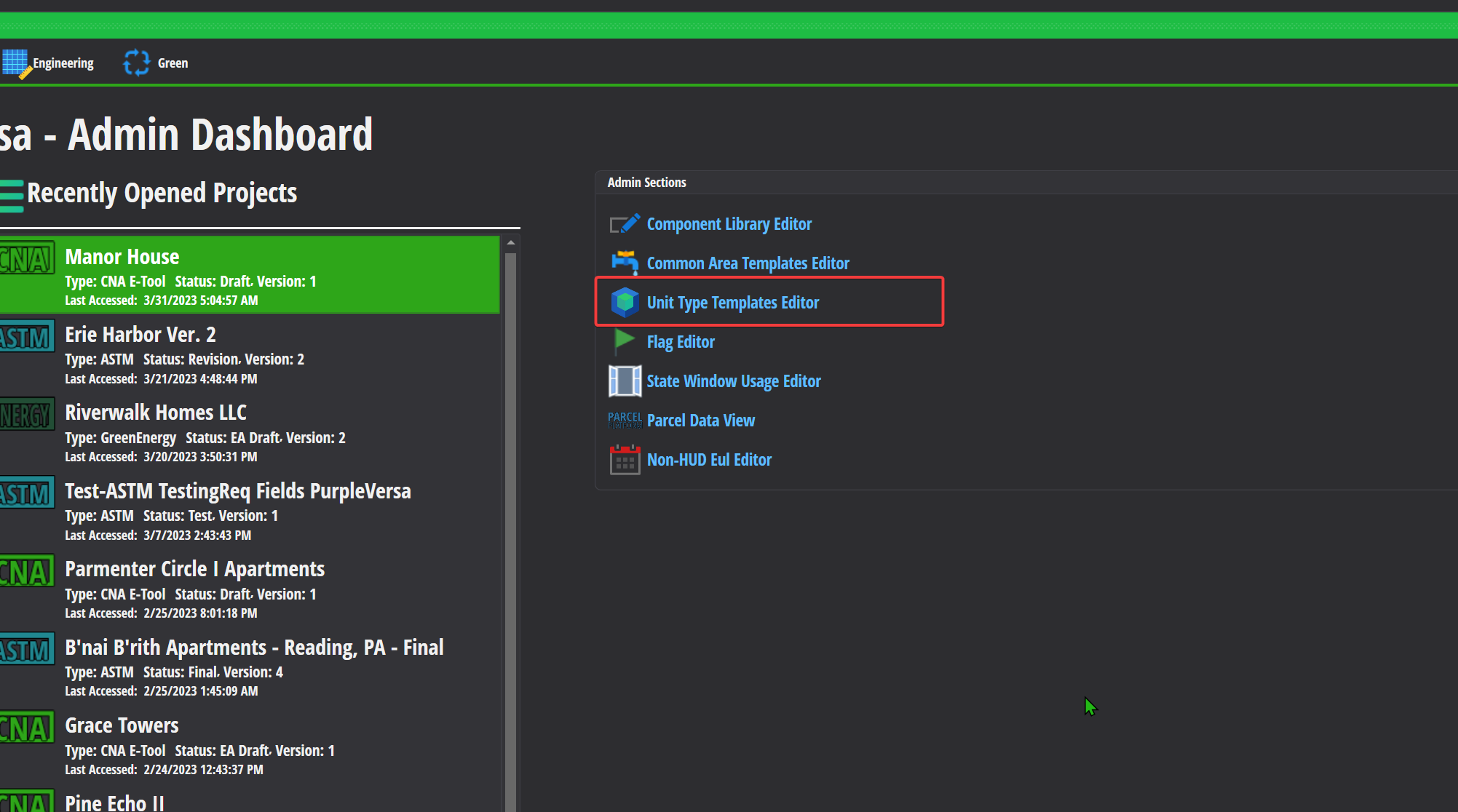
Administrators can modify the unit type templates from the admin section in Versa.
Versa Reports
You can now export all reports from the Versa Reports screen like you can in the Report Center

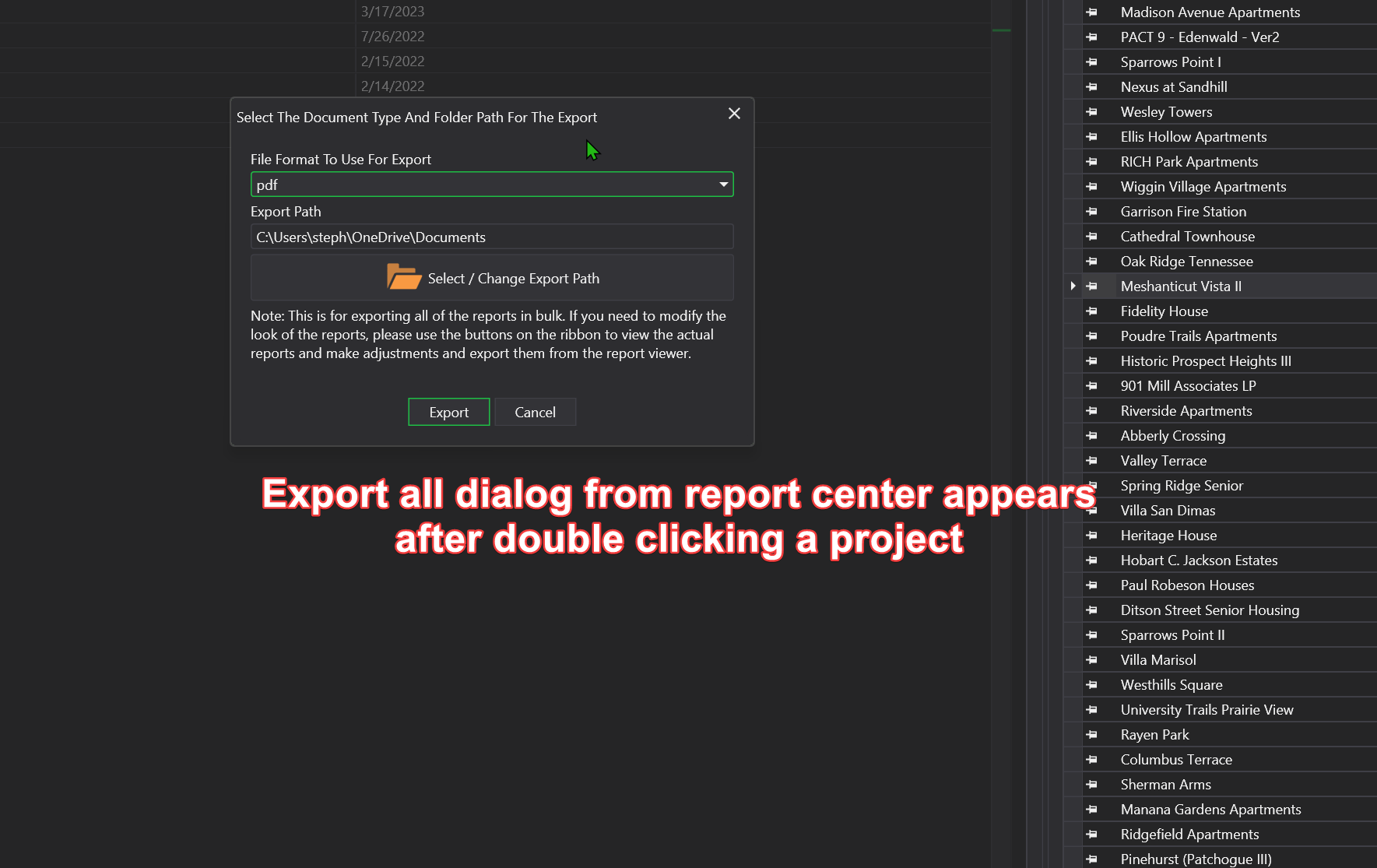
The project selection panel stays open now when you double click a project to run a specific report or use export all.

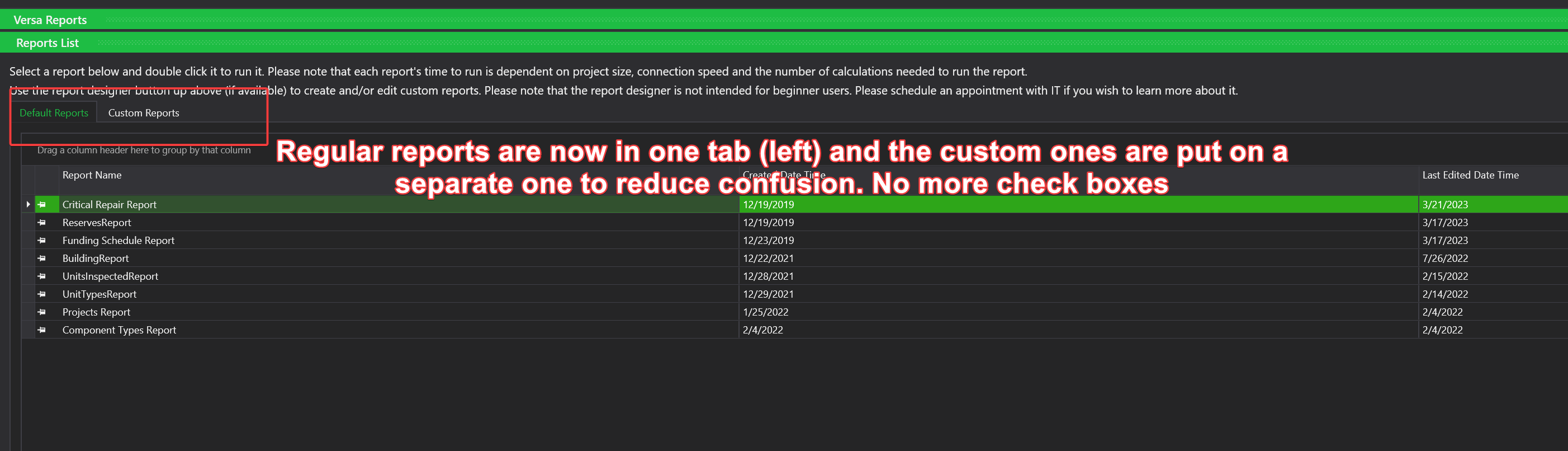
The Versa Reports screen itself has been adjusted so that the default / regular reports are on a separate tab from the custom / experimental reports
When you run the critical repair report now on Versa Reports, you have a drop down that appears above the project list that lets you toggle the report in critical, non-critical and imeediate repair mode.

Improvements
Participants Screen
Email and Phone Number are now optional and not visible for ASTM projects.
If you change the project back to a CNA project, you will find that these fields are filled out with obvious default values that which you will need to change if you intend to export the project to HUD.

Sites Screen
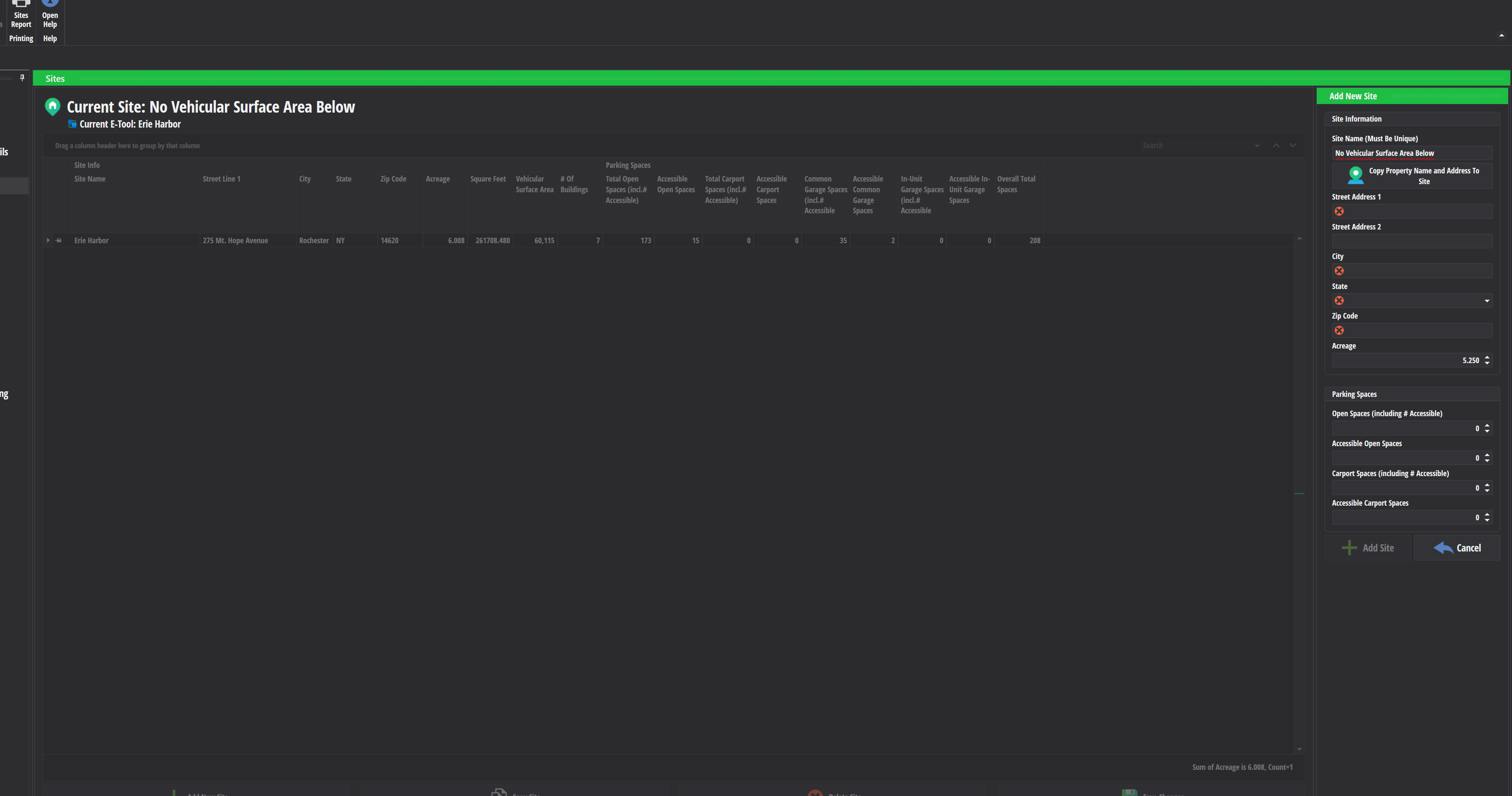
Sites now use acres (like PM) instead of Square Feet. Versa instead will calculate the square feet in the case where you need them for a specific feature (I.E. Export to the E-Tool).
Vehicular Surface Area is no longer needed for ASTM projects.
Building Types
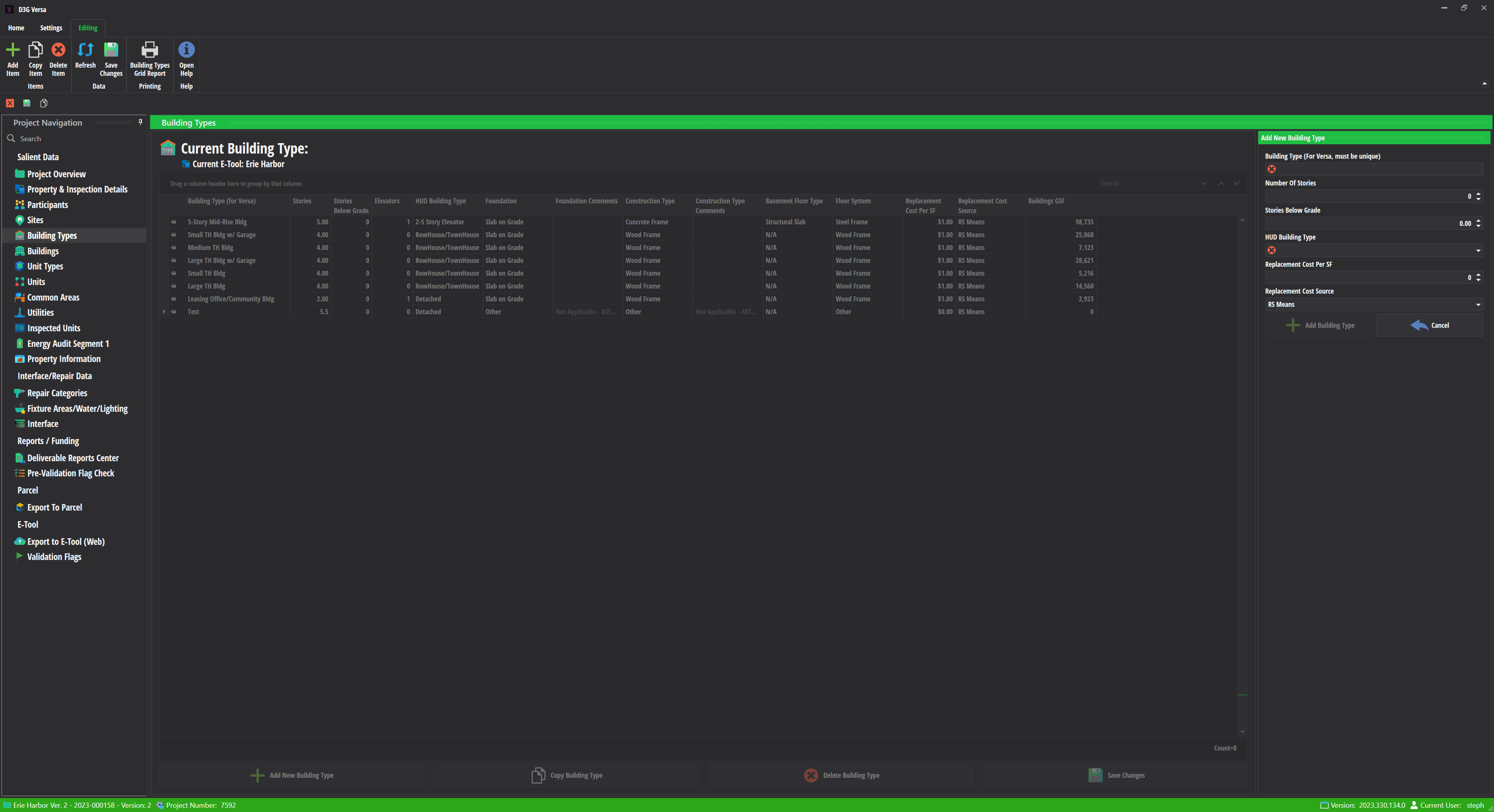
Building types now allow for decimals on the number of stories (I.E. 1.5 stories)
The following fields are now not required for ASTM projects:
- Number of Elevators
- Foundation
- Foundation Comments
- Basement Floor Type
- Construction Type
- Construction Type Comments
- Floor System
Interface Screen
We reduced the column lengths for the following values, as they were much larger than they needed to be:
- Indicated Alternative
- Selected Alternative
- ASTM Section Number
These were causing potential performance and/or resource problems on the SQL Server backend for Versa.
Pre-Validation Report
Added support for the following flags:
- The new version of UL-003
- components SRUL is less than 3 and the alternative is end of cycle
- DV-022, DV-023, DV-024, DV-025, DV-038
- using zero for bedrooms/baths/sinks/toilets/component quantity
Export To E-Tool Screen
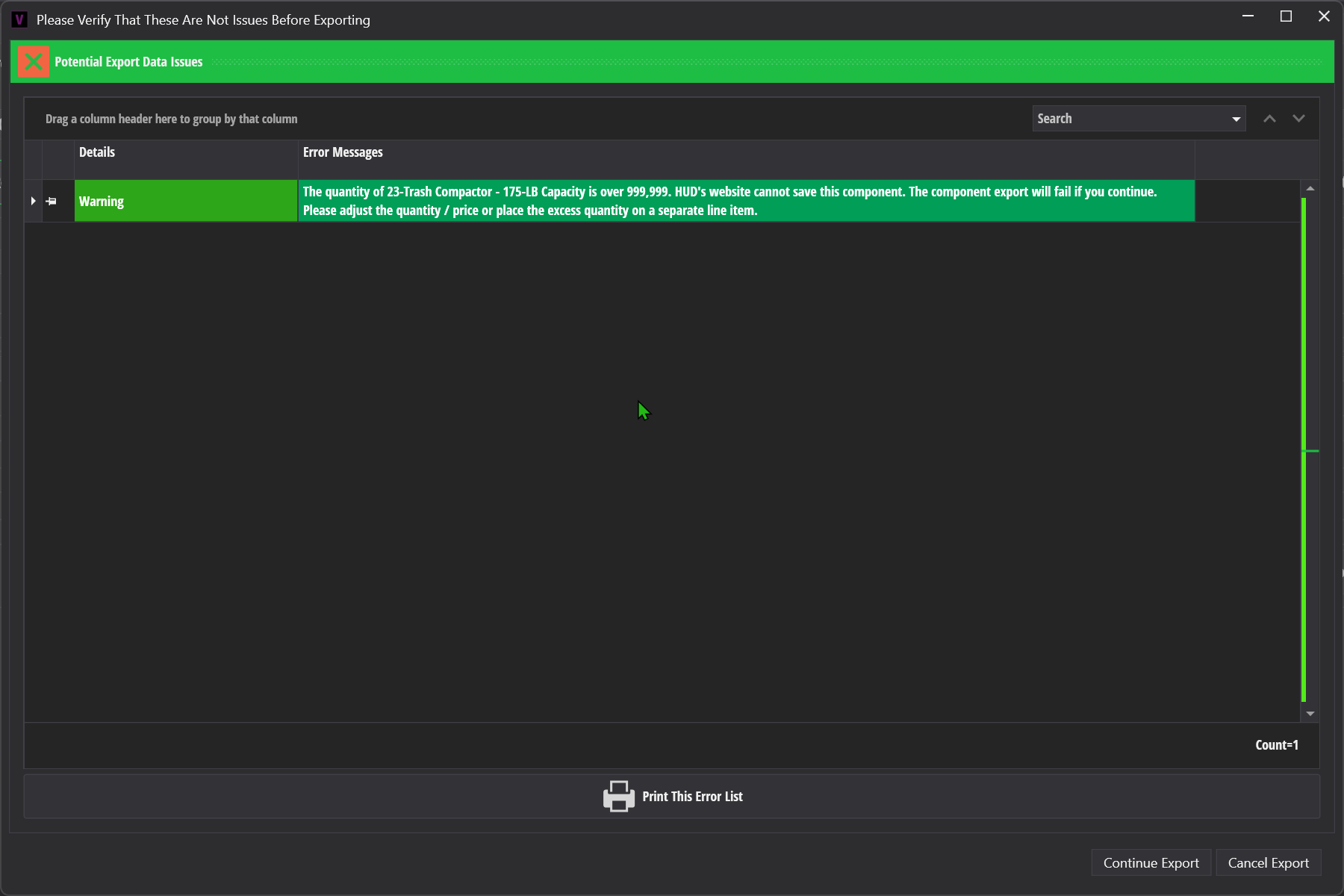
- A warning is now displayed on export if the quantity of a component / interface item is over 999,999.
- If you receive this warning, you will need to reduce the quantity on the component or place the excess on a separate line item (I.E. If you have 1,500,000 shingles, you will need to split its quantity across two line items).
Bug Fixes
DevExpress Spell Checker
The spell checker was previously detecting all words as mispelled, this has been fixed (see other changes).
Critical / Repair Report
The critical repair / repair report was not running unless you had at least two or more interface line items in a project. It can now run if you have at least one eleigable item.
Export To E-Tool
HUD's most recent change to the E-Tool (4/2/2023) introduced a bug to Versa. As a result, we updated our HUD API Client to use the new "Mark As Updated" command so that the E-Tool properly recalculates the flags, finanical schedule, etc when you do an export.
Because of this change, we have found it is best if you leave the E-Tool on the assessment page, IF you have it open when you are exporting from Versa.
We updated the export screen to reflect the above recommendation:

Other Bug Fixes
Fixed a potential bug with bulk add inspected unit
The versa project protocol was not getting reset when changing a project from ASTM to CNA. This has been fixed.
Other Changes
DevExpress updated to v22.2.5
- We updated the DevExpress libraries that Versa uses to the latest version, which includes a bug fix for the spell checker used by Versa.