New Features
None
Improvements
Property and Inspection Details Screen
ASTM projects no longer display the MSA/Non-MSA toggle switch
The default for MSA/Non-MSA is now MSA for all new projects going forward
Fixtures Screen
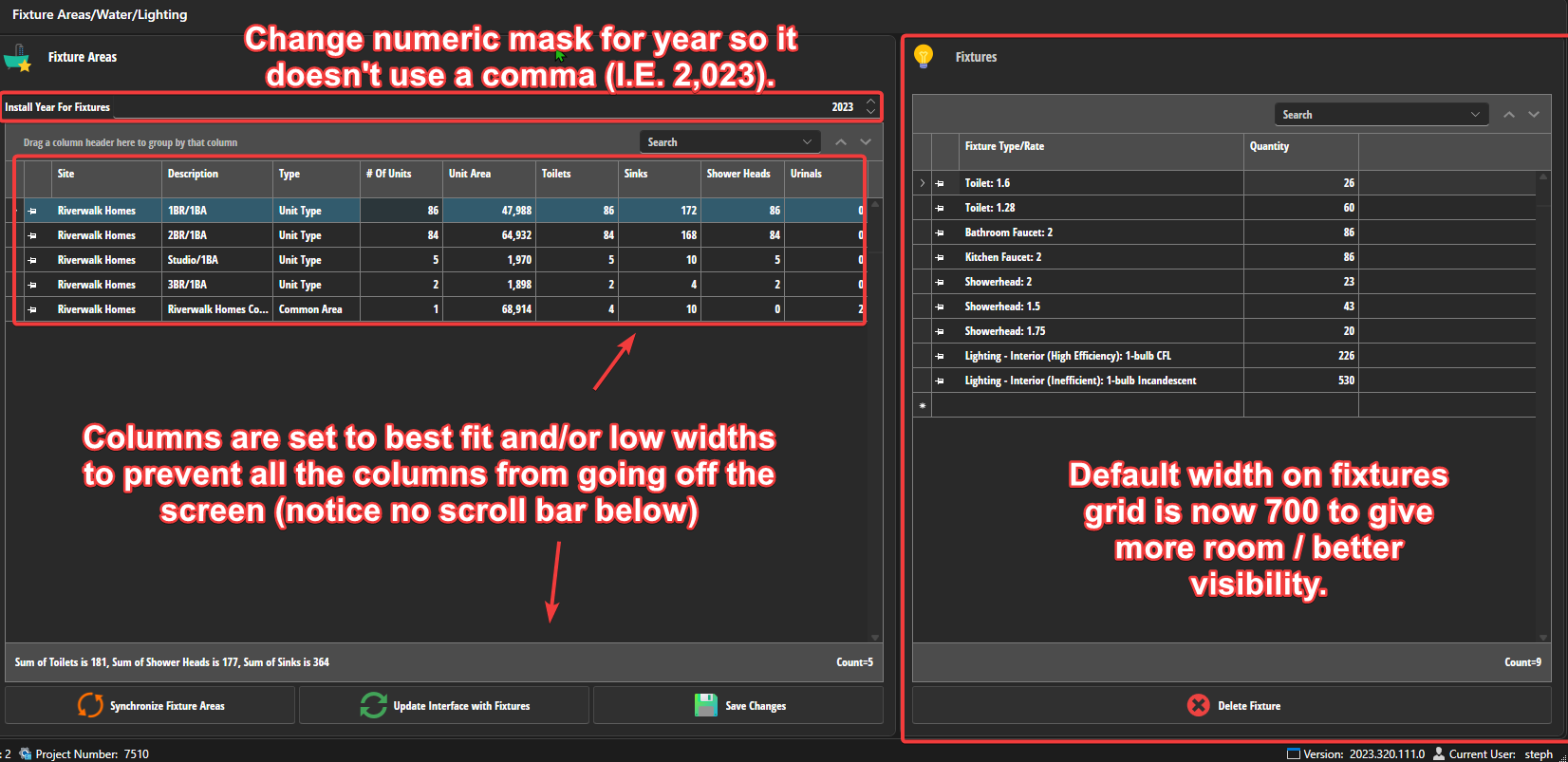
The sizing of the grids on this screen has been adjusted to make it easier to read.
The numeric mask for the fixtures install years has been changed so it doesn't display a comma (I.E. 2,023 will now properly read 2023).
Common Areas Screen
The sinks, shower heads, hook-ups, toilets, public accomodation, compliance required, compliance exists columns are now not displayed by default for ASTM projects. They can still be accessed via the column chooser.
The check box columns are now using more distinctive check boxes

Property Information Screen
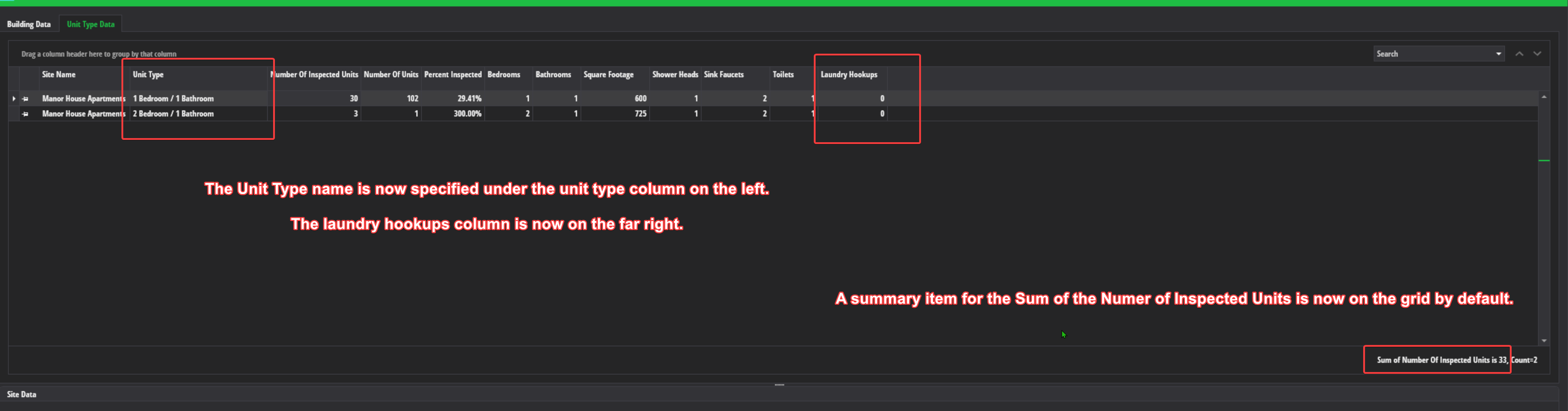
- The name column under unit type data has been changed to "Unit Type" and is now the second column from the left
- The under unit type data, the laundry hookups column has been moved to the far right
- The default summary counts on the unit type data grid now includes a sum for the number of inspected units
Inspected Units Screen
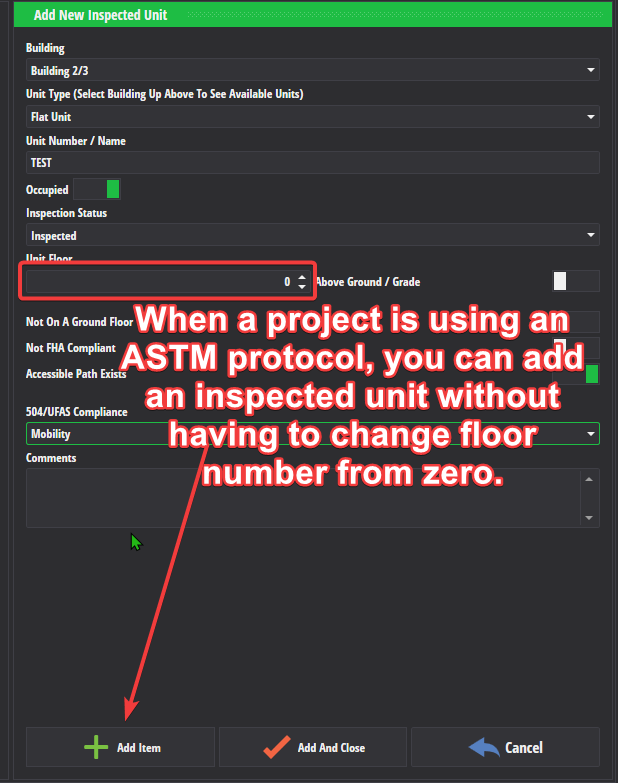
- For ASTM projects, you can now have inspected units with a floor of zero
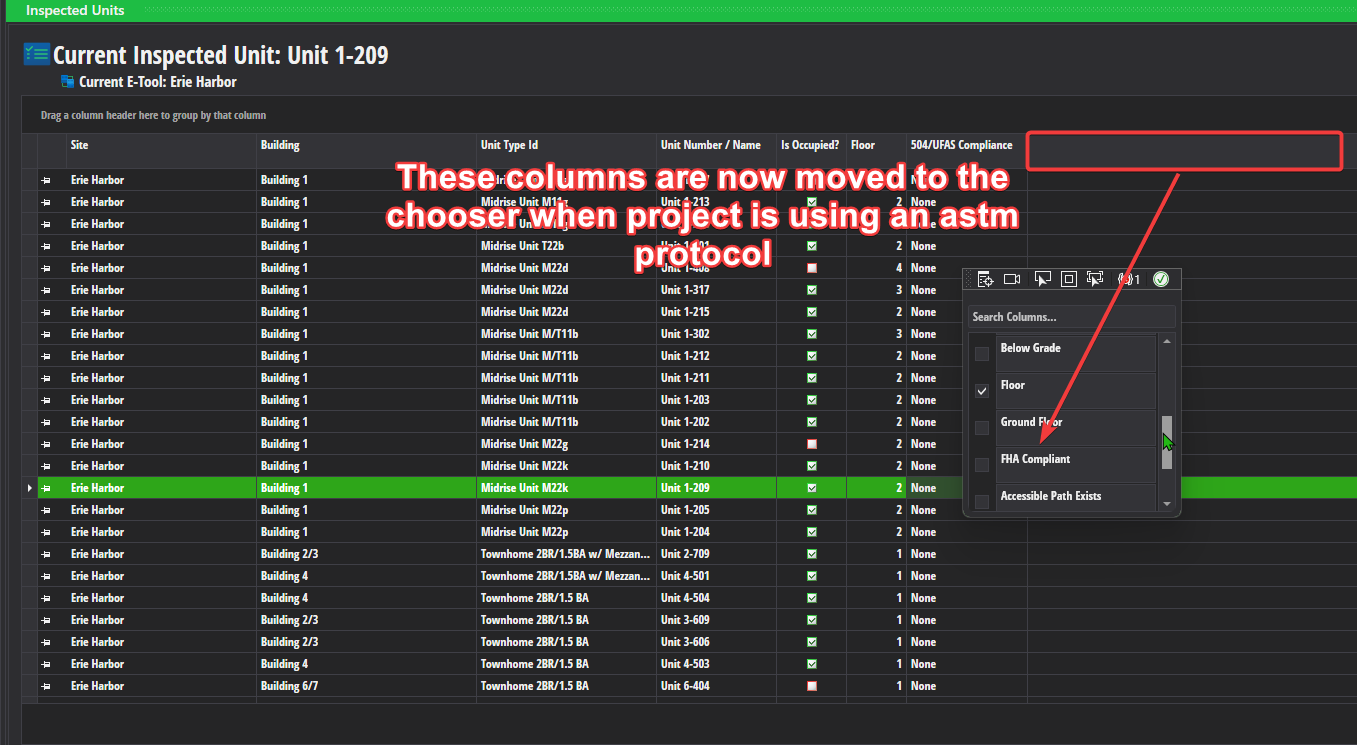
The follow columns are not displayed by default on the inspected units grid for ASTM projects: Below Grade, Ground Floor, FHA Compliant, Accessible Route, and Comments
- Note: These columns can still be accessed via the column chooser
The check box columns are now using more distinctive check boxes.
Bug Fixes
Fixed the participant role "PAE"; it was incorrectly listed as PHE.
Corrected a second bug that was the bulk add common areas feature to not add any common areas if you only had 1 building selected for the bulk add operation.
Other Changes
Project Screen
- ASTM Projects now require that you select a protocol

Inspected Units
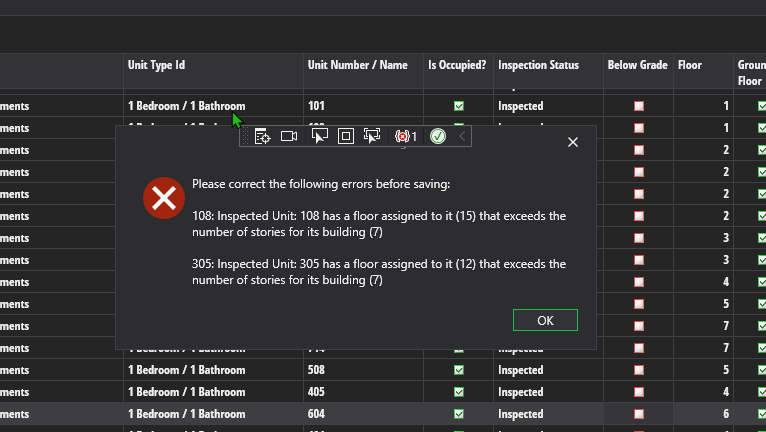
- We no longer enforce Flag DV-198 at the inspected unit level (the flag has been retired). However, you will get an error saving inspected units in versa if any of the inspected units have a floor that is higher than the number of stories on the inspected units's building / building type.
Purple Versa
- We updated the connection used for Purple Versa so that it targets our new development server. If you are using Purple Versa, it will no longer work until we issue a new Purple update.